Your Traffic is down and you don’t know how to recover lost google traffic?
I have got you
You site looks better. It’s faster, everyone internally loves it and then you open Google Search Console two weeks later and your website traffic is down. Sometimes by 30%, sometimes by 60%.
This isn’t rare. It’s actually one of the most common problems I deal with. And the frustrating part? Most of it is preventable.
The rest is recoverable, if you know what you’re looking at.
Problem is usually the redesign and I can prove it.
Let’s do it the right way …
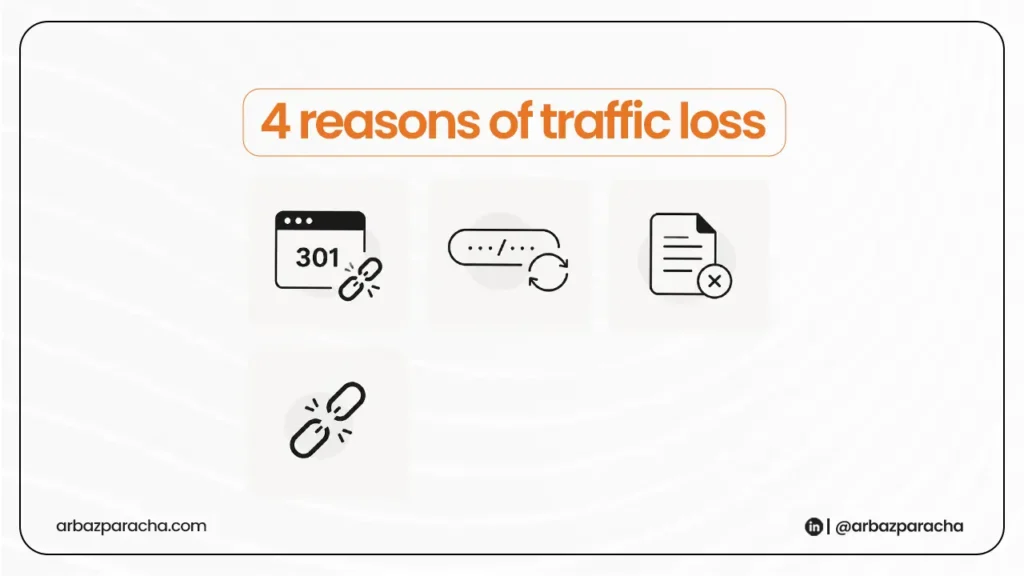
Why redesigns kill traffic?
When your Google traffic is down after a redesign, most people assume the design itself caused it. It didn’t.
Google doesn’t care what your site looks like. What it cares about is structure, signals, and content and redesigns quietly break all three.
A study by Ahrefs found that nearly 68% of pages have no backlinks pointing to them at all.
The ones that do have links your old URLs, lose all that link equity the moment those URLs change without a proper redirect in place.
And Google Discover traffic can drop even harder. Discover is more sensitive to content freshness and engagement signals than organic search. So, If your redesign wiped out structured data, changed page titles, or slowed the site down even slightly, Discover pulls back fast.
Solution
Step 1: Figure out what actually dropped
Before you do anything, open Google Search Console and look at two things: which pages lost impressions and which queries disappeared.
Not just overall traffic, page-level data.
If your homepage and 3-4 service pages lost traffic, that’s a redirect or meta issue. If it’s spread across 20+ pages, something structural broke, like your sitemap wasn’t updated or your robots.txt is blocking crawlers.
Go to Search Console → Performance → Pages.
Sort by clicks, descending. Compare the last 28 days to the previous period. The pages with the sharpest drop are your starting point
Also check your website visitor tracking. GA4 or whatever you’re using should show whether the drop is in organic specifically or across all channels.
If paid and direct are fine but organic is down, it’s an SEO issue. If everything dropped, something may have broken on the tracking side itself, UTM parameters getting stripped, GA4 not firing correctly after the new build, and so on.
Step 2: Audit your redirects
This is where most redesigns go wrong.
A developer builds the new site, changes the URL structure, and assumes the old traffic will find its way. It won’t.
Every URL that existed on your old site and ranked for anything needs a 301 redirect to its new equivalent. Not a 302. Not a redirect to the homepage. A page-to-page 301.
“Redirecting every old URL to the homepage is one of the most common and most damaging mistakes I see after a redesign.”
Use Screaming Frog to crawl both the old sitemap and the new site. Find every 404. Match each one to the most relevant live page.
If the page genuinely no longer exists and there’s no equivalent, redirect to the most relevant category page, not the homepage.
Step 3: Check what happened to your on-page SEO
Redesigns almost always touch page titles, H1s, and meta descriptions, sometimes intentionally, often accidentally. A CMS migration or theme change can wipe SEO fields silently without anyone noticing until rankings slide.
Every key page still has a unique, keyword-relevant title tag
- H1s are present and match the page’s search intent
- Meta descriptions haven’t been cleared or duplicated
- Canonical tags are pointing to the right URLs
- Schema markup (if you had it) survived the migration
The canonical tag issue is particularly sneaky. If your new site is temporarily accessible on both www and non-www, or on a staging subdomain that got indexed, Google may be splitting crawl attention across duplicate versions of your site.
Step 4: Resubmit your sitemap and request indexing
After you’ve fixed redirects and on-page issues, go back to Search Console. Upload your updated XML sitemap. Then use the URL Inspection tool to manually request indexing on your highest-value pages.
Google doesn’t re-crawl your entire site the moment you launch. Depending on your crawl budget and domain authority, it can take anywhere from a few days to several weeks. Manually requesting indexing on your top 10-15 pages speeds this up significantly
Don’t wait for Google to find the changes. Be proactive. Submit your sitemap, request indexing on your key pages, and monitor Search Console daily for the first two weeks post-launch.
How long does recovery actually take?
Honestly, it depends on how much was broken and how quickly you acted.
Minor issues like a few missing redirects? You could see recovery in 2-4 weeks once fixed.
Structural issues, URL changes across hundreds of pages, wiped meta data, broken internal linking can take 2-3 months even after everything is corrected.
The sites that recover fastest are the ones that caught the problem early, fixed it systematically, and didn’t make additional changes while waiting for Google to re-process things. Every new change resets the clock slightly.
The mistake that makes everything worse
When website visitors drop sharply, the instinct is to immediately start changing things like new content, new keywords, new pages.
Resist this. If you’ve just done a redesign, more changes mean more variables. You can’t diagnose what broke if you keep introducing new factors.
Fix what’s broken first. Stabilize. Then, once your website traffic starts recovering, build on it.
Prevention is easier than recovery
If you’re planning a redesign and haven’t launched yet, do a full SEO audit before a single page goes live. Crawl the current site, export every URL that ranks for anything, map out your redirects in advance, and carry over every meta title and description manually.
It adds a few days to a project but It saves months of recovery.
If you’ve already launched and you’re watching your Google traffic going down in real time, start with Search Console, audit your redirects, and check your on-page basics.
In most cases, traffic loss problem is findable within an hour. The fix just takes patience.