Referrals are best, until they stop. If you know what I mean, this article is for you. In this article we’ll talk about how we can build a lead pipeline for your local service business.
One slow month turns into two. You start wondering if something’s wrong. Nothing’s wrong, you just never built anything beyond word of mouth.
This guide fixes that. Five steps and very specific actions.
Step 1: Set Up Your GBP the Right Way
This is the single fastest win for any local business and It’s free too.
Here’s exactly what to do:
1. Claim your profile at google.com/business if you haven’t already
2. Fill every single field:
- Business name (exactly as it appears in real life )
- Phone number
- Website URL
- Business hours including holidays
- Service area (list every city/town you actually serve)
3. Add at least 10 photos:
- Your team working on a job
- Before and after shots
- Your vehicle or equipment
- Your physical location if you have one
4. Add services individually
Don’t lump everything into one description. If you’re a plumber, add “Pipe Repair,” “Drain Cleaning,” “Water Heater Installation” as separate services with their own descriptions.
5. Post once a week
Google lets you post updates directly on your profile. It signals to Google that your profile is active.
6. Set up messaging
Turn on the chat feature so people can message you directly from Google Maps.
Resource to check for more information:
Google’s own setup guide → support.google.com/business
Step 2: Fix Your Website
Getting traffic means nothing if visitors make no decision. Most local business websites lose leads because of website structure issues
Run this quick audit :
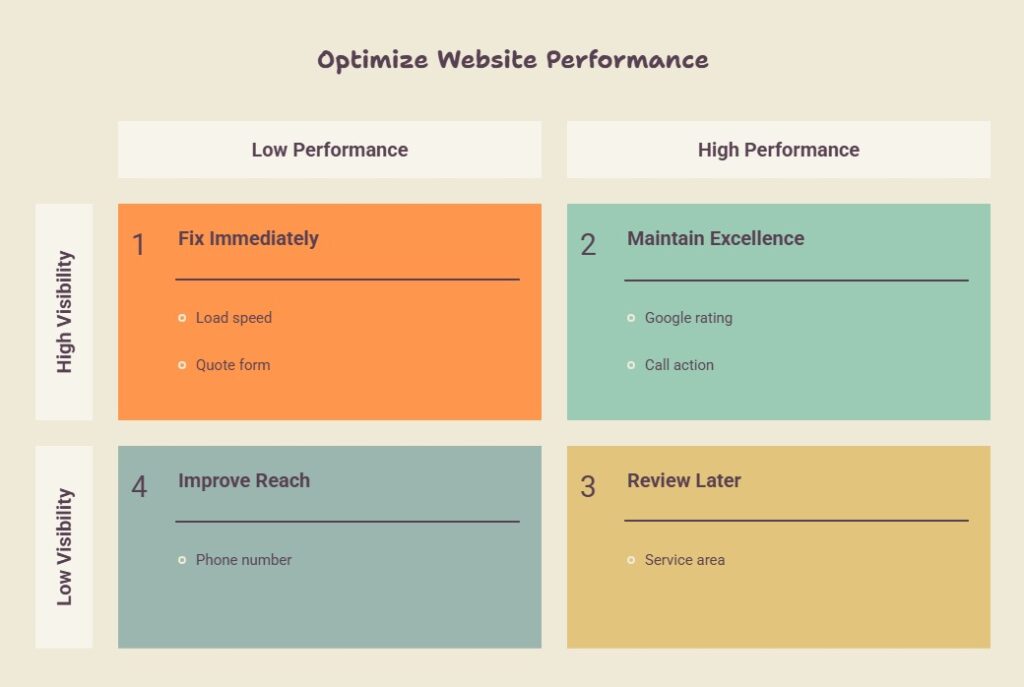
The three pages every local service website needs:
→ Homepage
Your rating, what you do, who you serve, one CTA. Nothing else fighting for attention.
→ Individual service pages
One page per service. “Kitchen Remodeling” gets its own page. “Bathroom Remodeling” gets its own page. This is how Google finds you for specific searches.
→ Location pages
If you serve 5 cities, you need 5 pages.
Each one should mention that city name, what services you offer there, and ideally a local landmark or detail that proves you actually work there.
Step 3: Get Leads With Google Ads
SEO takes 3 to 6 months to build a strong foundation. If you need leads now, Google Ads works but only if you set it up correctly.
You can follow this step by step process
1. Start with one campaign, one service
Pick your highest value service. If you’re an HVAC company, start with “AC repair” instead of service like “HVAC services.”
2. Use these match types for your keywords:
- ✅ Phrase match: “AC repair [your city]”
- ✅ Exact match: [emergency AC repair]
- ❌ Avoid broad match when starting out coz it burns budget on irrelevant searches
3. Write your ad like this:
- Headline 1: The service + city (“AC Repair in Austin”)
- Headline 2: Your strongest trust signal (“4.9 Stars · 500+ Reviews”)
- Headline 3: The action (“Call for Same Day Service”)
- Description: Mention one specific benefit + one urgency trigger
4. Never send ad traffic to your homepage
Build a separate landing page for the ad.
It should have:
- One headline matching what they searched
- Your rating visible immediately
- A CTA button
- A short form (name + phone + issue)
- Zero navigation menu
5. Set a tight geographic radius
6. Add negative keywords from day one
Step 4: Follow-Up Sequence (Copy this exact framework)
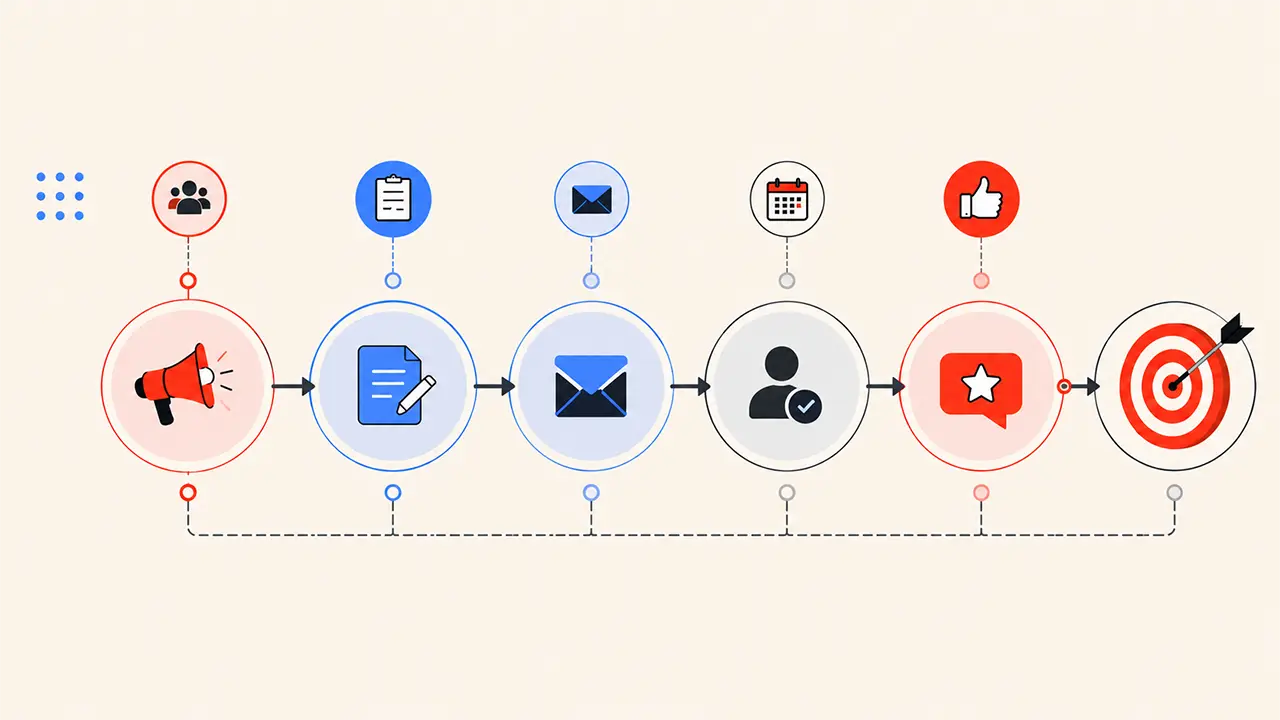
Most businesses follow up once but in reality a sales deal needs up to 5 follow ups to make it work.
Here’s a simple 5 touch sequence you can start using today. Click to download
You can automate this too without using any expensive software…
Step 5: Turn Every Completed Job Into a Review
Reviews do two things. They push you higher on Google Maps, and they convert strangers into callers. Most businesses get reviews by accident. The ones who dominate their local area ask every single time.
Here’s the exact process:
Right after the job is done, text this:
“Hey [Name], really glad we could help today. If you have 60 seconds, an honest Google review would mean the world to us, it helps other homeowners find us when they need help. Here’s the direct link: [your review link]”
How to get your direct review link:
- Go to your Google Business Profile
- Click “Get more reviews”
- Copy the short link Google gives you
- Save it as a text shortcut on your phone (on iPhone: Settings → General → Keyboard → Text Replacement)
What to do when you get a review:
Reply to every single one within 24 hours. For positive reviews, thank them and mention a specific detail from the job. For negative reviews, apologize, take responsibility, and offer to make it right… publicly.
How you respond to a bad review matters more than the bad review itself.
Goal: Aim for 5 new reviews per month minimum. At that pace you’ll have 60+ reviews within a year, which in most local markets puts you in the top tier.
Step By Step Process
Don’t try to do all of this at once. Do it in this order:
Week 1: Fully complete your Google Business Profile and get your review link set up
Week 2: Audit your website against the checklist above and fix the 3 biggest problems
Week 3: Set up a 5-touch follow-up sequence for new leads
Week 4: Launch a Google Ads campaign for your #1 service
That’s one month. Most businesses see a real difference by the end of it.
If want someone to look at your current setup and tell you exactly where the gaps are?
Book a 30 minutes call