Choosing a CMS Platform is not just any technical decision but a strategic decision that going to impact your site’s performance, scalability and bottom line.
I have built 100s of websites across different platforms, and I can tell you for sure that…
The best CMS does not exist.
What exists is the best CMS for your specific needs. Let me break down everything you need to know to make an informed decision.
Your CMS(Content Management System) Options
Before we dive into comparisons, here are the major players worth considering:
Criteria of Testing CMS Platforms
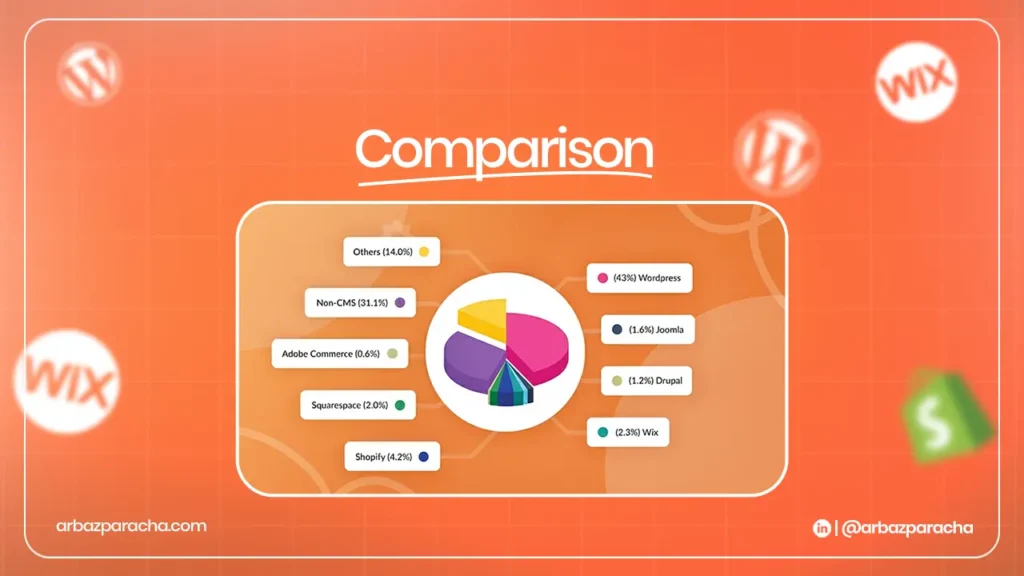
Ranking CMS Based on Popularity & Trust
I know what you are looking for… what’s the best CMS for website development, right? So let me walk you through the popular CMS platforms
WordPress remains the most trusted and widely used platform thanks to its flexibility, reliability, and vast ecosystem of plugins that solve nearly any website need. Its popularity isn’t about perfection but about proven performance and adaptability across countless use cases.
Shopify continues to dominate the e-commerce space with its all-in-one setup, while Wix and Squarespace lead in user-friendly website builders for beginners and small businesses. Webflow is rapidly growing among designers and professionals who value creative control, whereas older platforms like Drupal(enterprise CMS) and Joomla have seen their influence fade as the market evolves toward more modern, scalable solutions.
Pricing Comparison
Here’s the honest breakdown of what these platforms actually cost:
| WordPress | Free | $3 to 50/month for hosting |
| Shopify | Paid | $29-299/month |
| Webflow | Paid | $14-39/month (for basic sites) |
| Wix | Paid | $17 -159/month (for business plans) |
| Squarespace | Paid | $16-65/month |
| Hubspot | Paid | $360/month |
| Contentful | Free | free for small projects |
The hidden costs? Developer time. A WordPress site might need $500-5,000 for initial setup. A Webflow site might need $2,000-10,000. Enterprise platforms like Drupal can require $20,000-100,000+ for custom builds.
Find the Right CMS platform for You
Stop looking for the “best” CMS. Instead, ask yourself these questions:
What’s your primary goal?
- Blogging and content? WordPress or Ghost.
- E-commerce? Shopify or WooCommerce (WordPress).
- Lead generation? HubSpot CMS systems or WordPress with proper plugins.
- Portfolio/Brand site? Webflow, Squarespace, or WordPress.
– Who will manage the content? If it’s you and you’re technical, WordPress gives you unlimited control. If it’s a team that panics at the sight of HTML, go with Wix or Squarespace.
– What’s your budget and timeline? Need something live in a week with minimal cost? Wix or Squarespace. Have a bigger budget and need custom functionality? WordPress or Webflow. Need enterprise features and have months for development? Drupal or custom headless setup.
-How important is SEO? If SEO is critical to your business (it should be), WordPress with Rank Math or Yoast, Webflow, or a headless setup with Next.js gives you the most control.
-What’s your technical comfort level? Be honest. A powerful platform you can’t use is worse than a simple platform that does 80% of what you need.
-How fast do you need to scale? If you’re planning aggressive growth, choose a platform that won’t require a rebuild in 12 months. WordPress and headless CMS options scale well. Wix and Squarespace have limitations at high traffic levels.
If you are looking for best CMS for small business websites… you need to be clear about your goals first
The Best SEO CMS Platforms?
When it comes to SEO, the right CMS platform depends on your goals and technical skills. WordPress stands out for its flexibility and complete control over SEO elements, while Webflow offers clean, fast-loading code and a visual editor perfect for technical optimization without coding.
Shopify delivers strong SEO foundations for e-commerce sites, and Wix or Squarespace work well for simpler websites but offer less customization. For those with advanced needs, headless CMS platforms like Contentful paired with frameworks provide maximum performance and scalability, though they require more technical expertise.
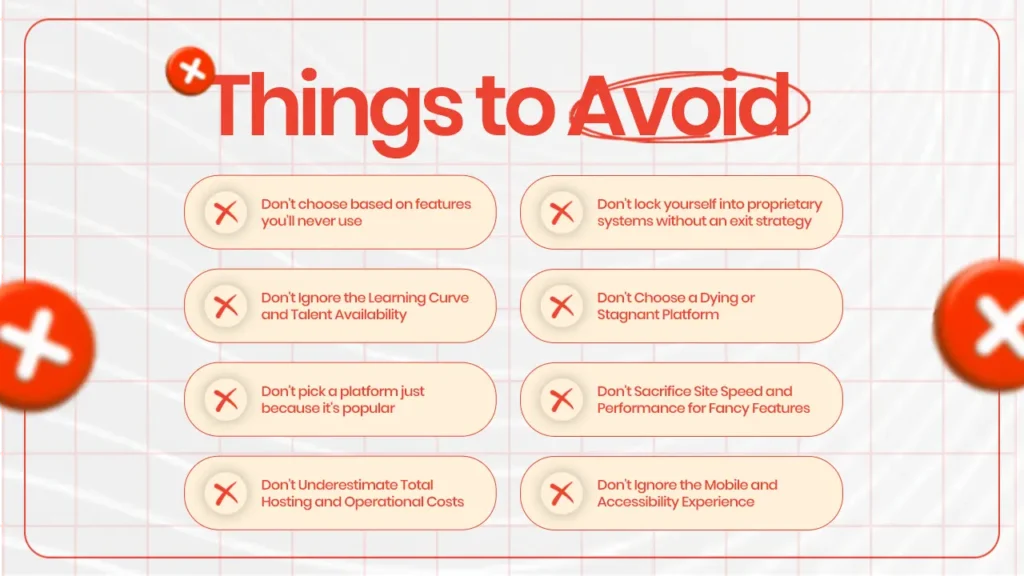
Things to Avoid When Choosing a CMS Platform
I’ve seen these mistakes cost businesses thousands in lost revenue and wasted time: